 Legible OCR
Turns PDFs and scans into clean Markdown with a model that runs entirely on your Mac, and hands your library to Claude Code or Codex over a built-in MCP server.
00 · The app
The page, and what it says
Open a PDF or an image. Legible reads each page and shows the text beside it, with the headings, tables, equations and figures where the page put them.
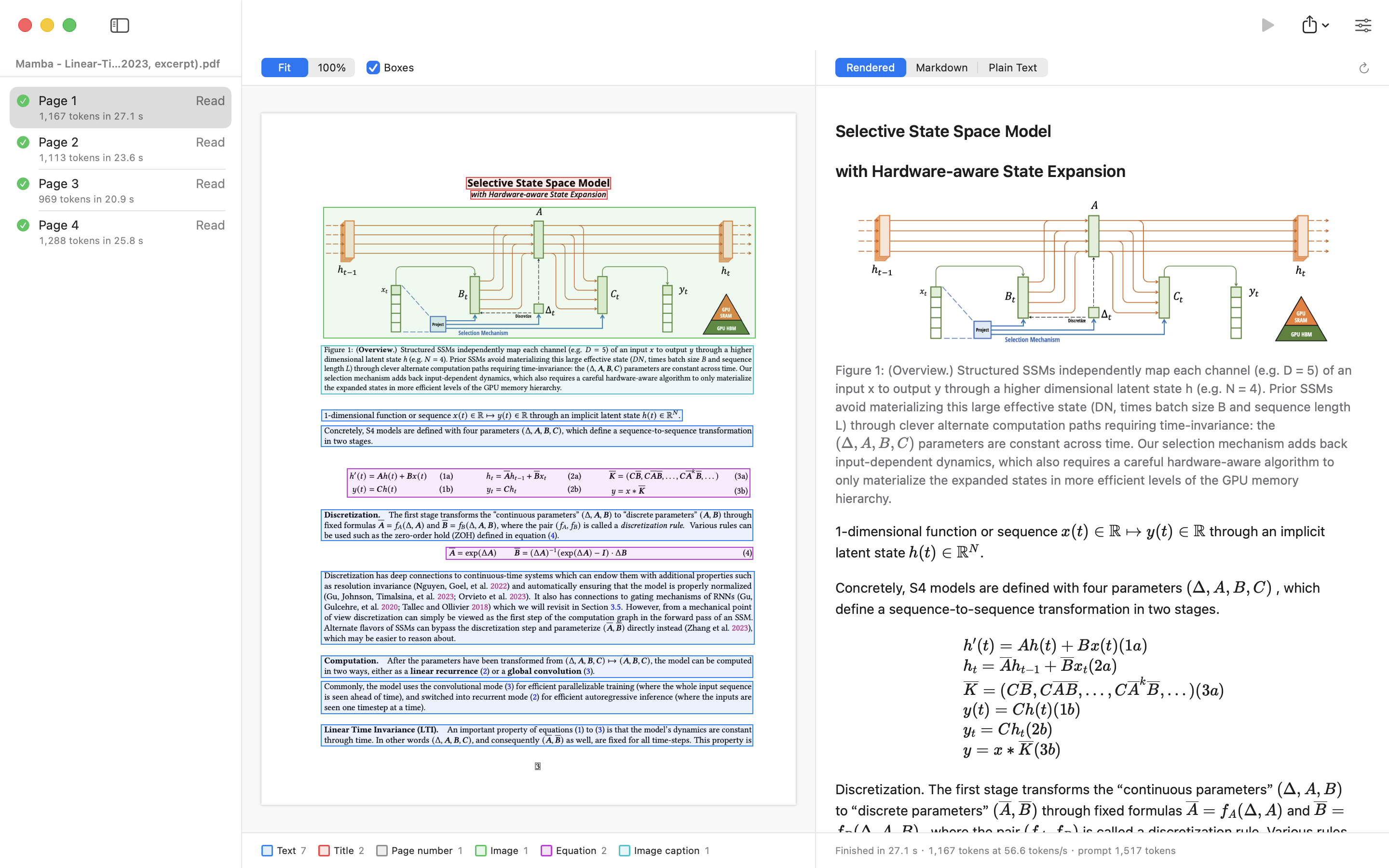
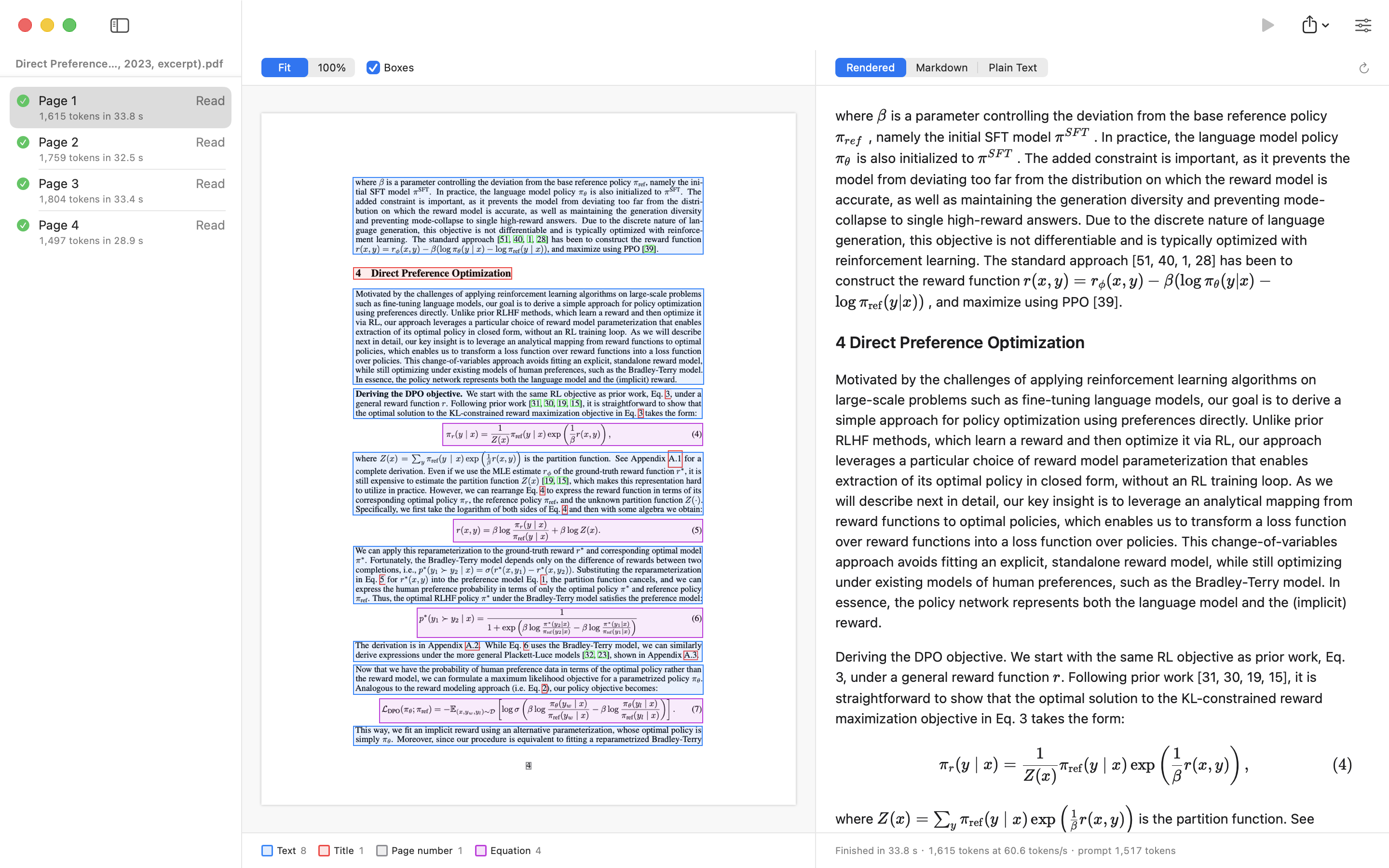
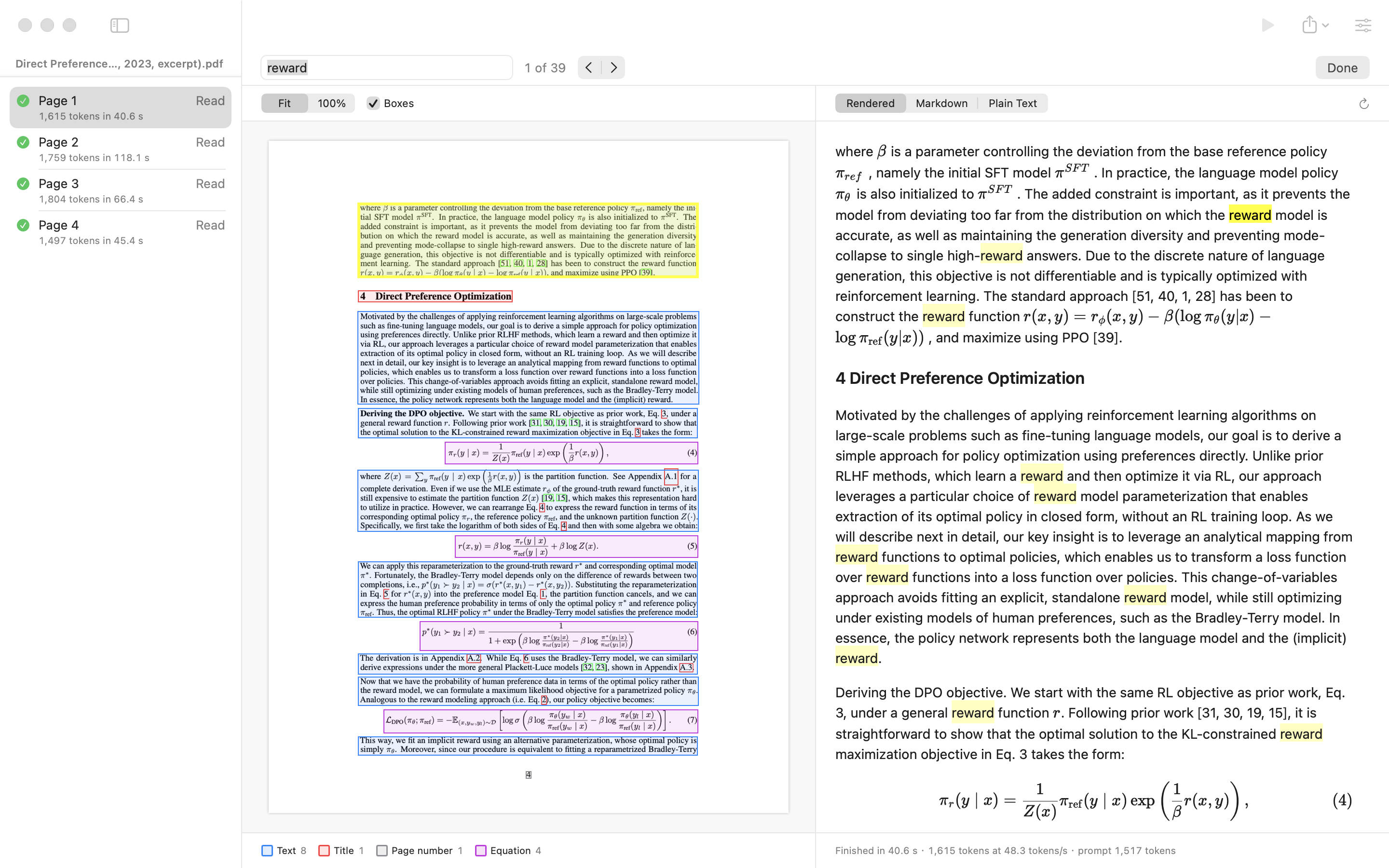
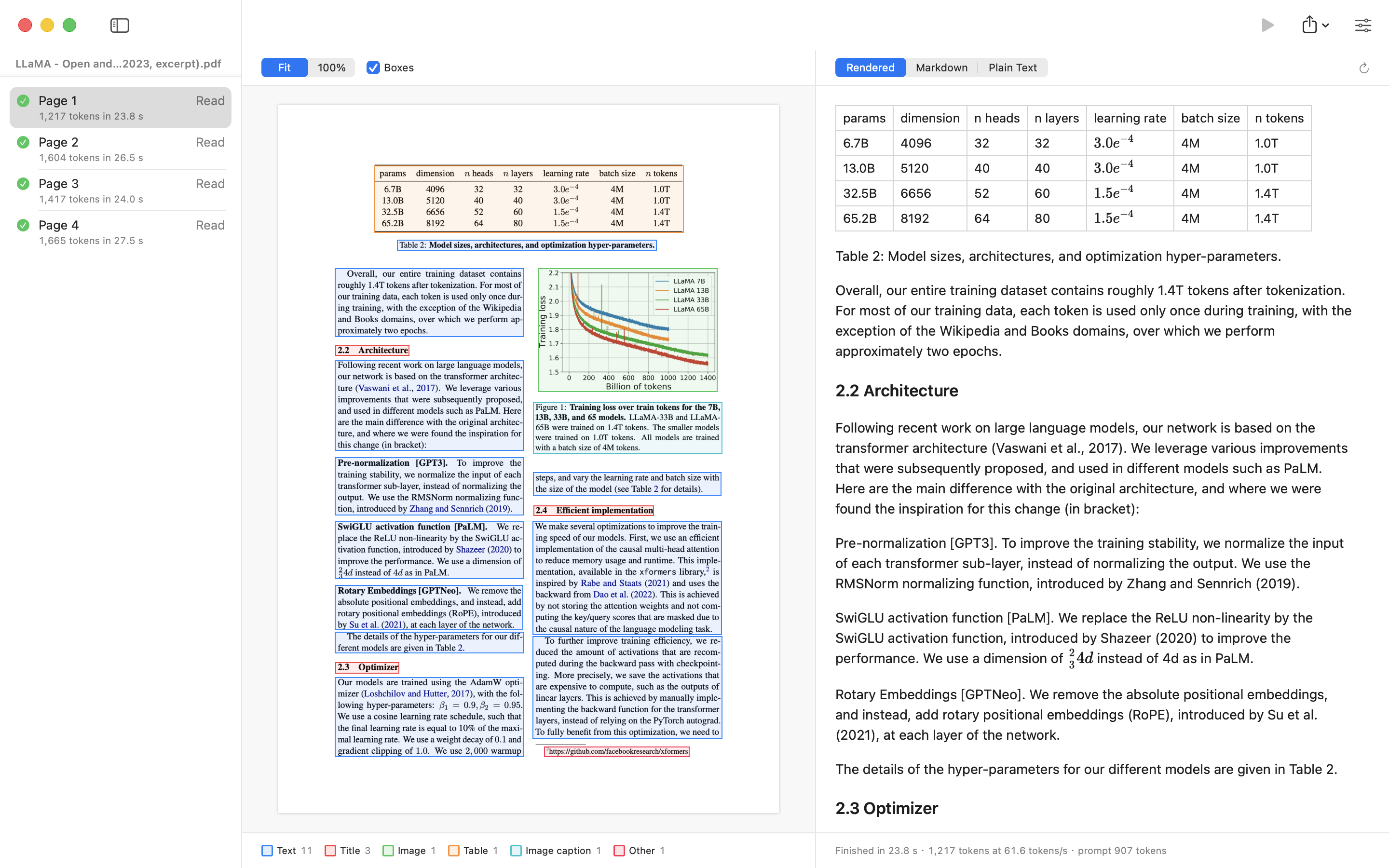
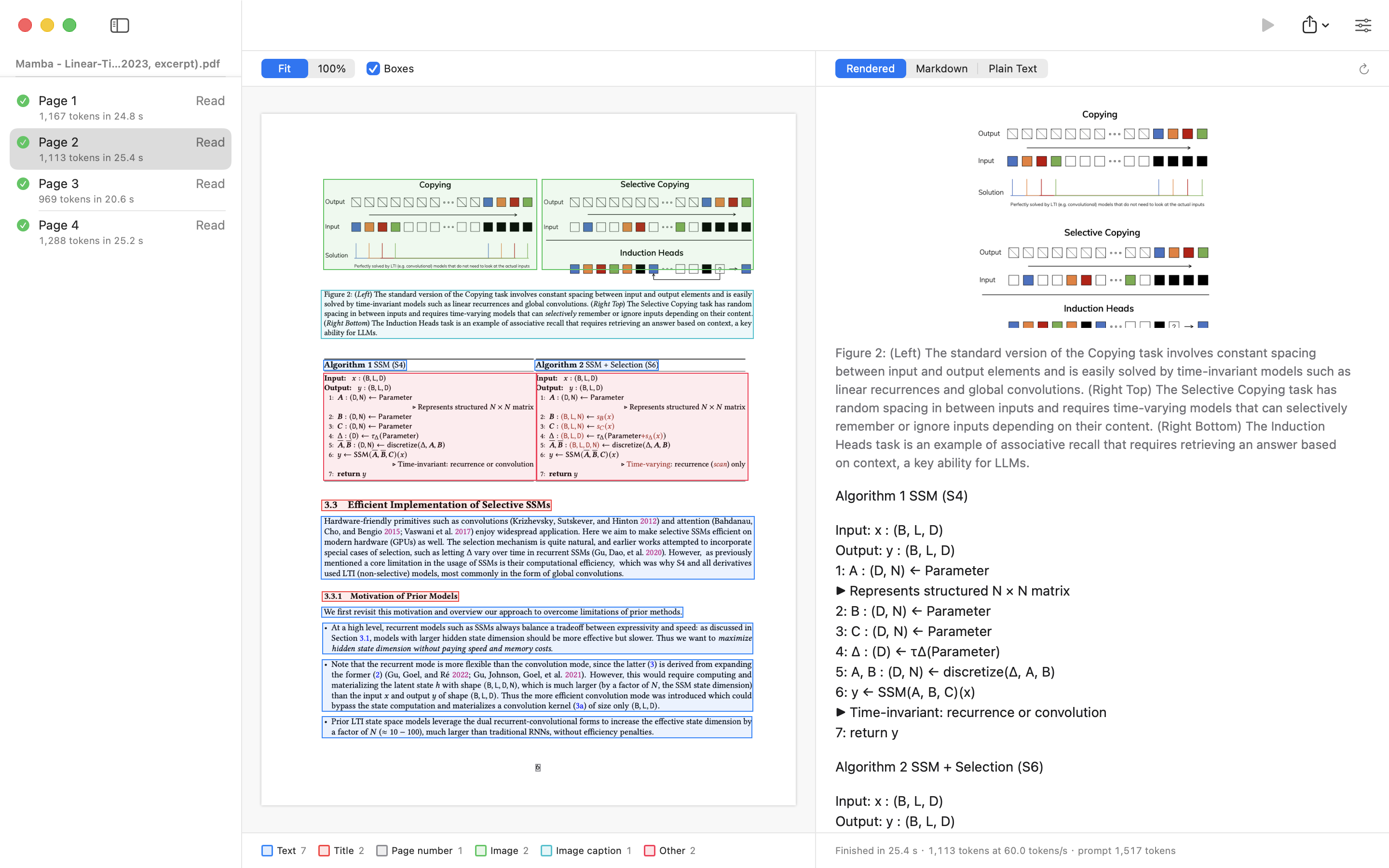
The pages shown are from papers published under CC BY 4.0: Rafailov et al., Direct Preference Optimization (2023); Gu and Dao, Mamba (2023); Touvron et al., LLaMA (2023).
01 · Agents
Your papers, in your coding agent
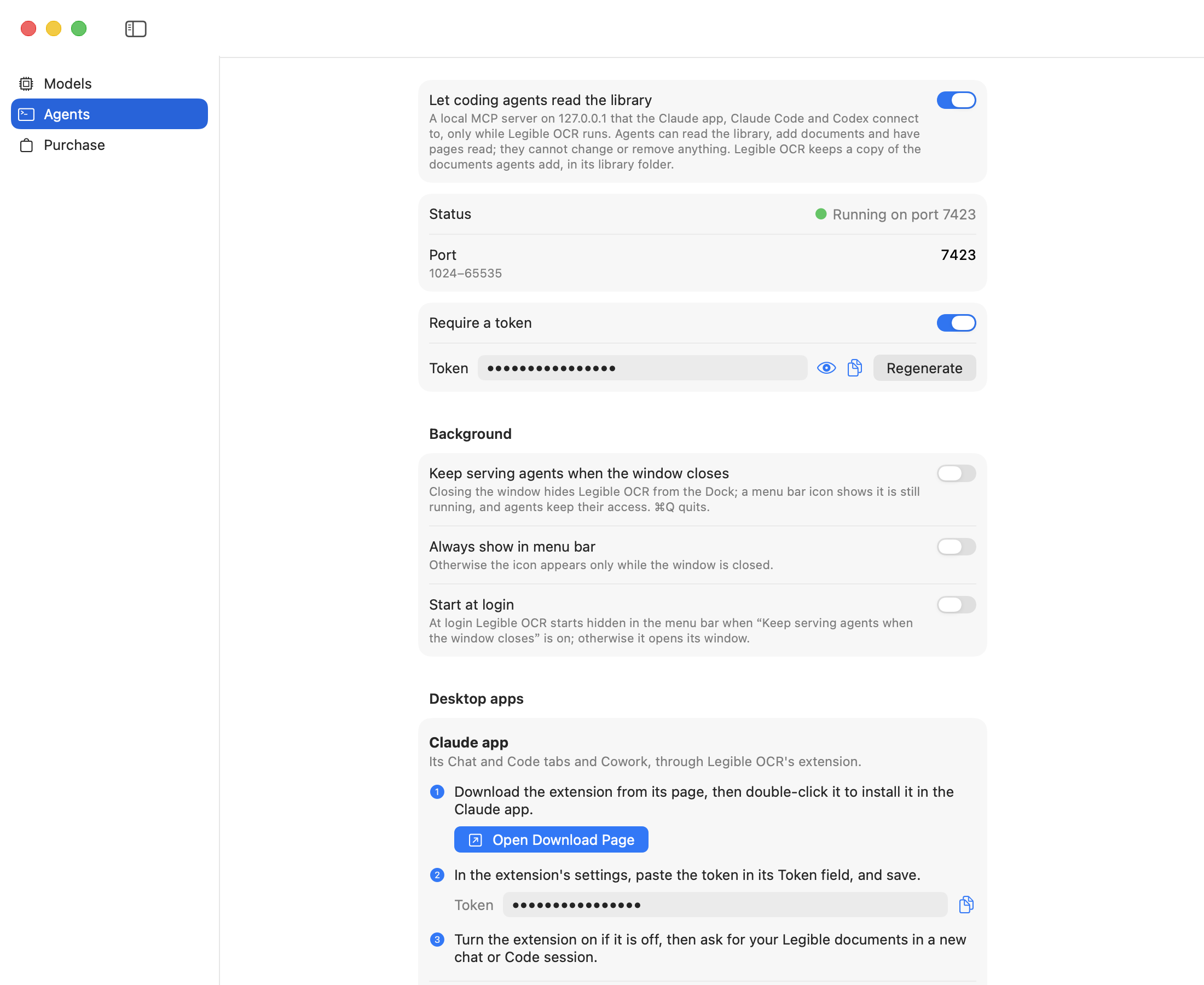
Turn on Settings › Agents and Legible runs a local MCP server. Claude Code or Codex can then find a paper, read it as Markdown with its equations and tables intact, fetch its figures, search everything you have read, and add a new PDF to be read. The model and the library stay on your Mac.
An example request
Which paper in my Legible library introduces selective state spaces? Summarize its method, with the key equations.
search_documents“selective state space”read_documentthe Mamba paper, as Markdownget_figureits architecture figure, as a PNG
Answers from the paper’s own text, with the equations in LaTeX as the page set them, not a summary of a summary.
What an agent can do
- Read
list_documentsget_documentread_document- Find
search_documentslist_figuresget_figure- Add
add_documentrun_ocrwait_for_document
Connect in one line
# Claude Code in a terminal
claude mcp add --scope user --transport http legible http://127.0.0.1:7423/mcp --header "Authorization: Bearer …"
# Any other MCP client, over streamable HTTP
URL     http://127.0.0.1:7423/mcp
Header  Authorization: Bearer …
The pane's Copy puts your token where the … is, and Codex gets its own two lines. The Claude app, in its Chat and Code tabs and Cowork, connects through Legible OCR's extension instead, and Codex in the ChatGPT app as a server in its settings. Setup guide
On your terms
- Off until you turn it on.
- Listens on 127.0.0.1 only, behind a token.
- Agents read and add; they cannot change or remove anything.
- Can keep serving from the menu bar with the window closed.
02 · What it does
Reads the page, not just the words
-
Layout keptThe shape of the page survives.
Legible runs Unlimited-OCR, an open vision model, on your Mac's GPU through MLX. It tells a heading from a paragraph, writes tables as tables and equations as LaTeX, and marks where each figure sits. Latin-script and CJK text alike. What you get is Markdown you can use, not a wall of lines.
-
Figures cut outEvery image on the page, its own file.
Each figure is cropped at exactly the box the model found and shown in place in the rendered text. Drag one to Finder, Mail or Notes, or export the whole document as Markdown with Figures, a folder or a ZIP with the images beside the text.
-
Three exportsMarkdown, plain text, searchable PDF.
Copy a page or save the document as Markdown or plain text. Or write your original PDF or scan back out with an invisible text layer under every page, so Preview finds words in it, Spotlight indexes it, and any PDF reader can select and copy what Legible read.
-
Find and searchEvery page you have read, on hand.
⌘F finds a word in the open document and steps through the hits, highlighted in the text and ringed on the page image. Search Library asks a full-text index of every page you have ever read, across every document, as you type.
-
Your choice of weightsSpeed or fidelity, in four sizes.
The model comes in 4-bit, 6-bit, 8-bit and bf16 packs, 2.46 to 6.68 GB. Pick one in Settings › Models; each downloads, verifies and removes on its own, and switching takes effect on the page being read. Legible can also keep serving agents from the menu bar with its window closed, and start at login, if you ask it to.
03 · Principles
What it will never do
- 1 Nothing leaves your MacThe model runs on your GPU. There is no account, no server, no analytics, and no crash reporting of ours. The app's one connection is the download of the model's weights, once, from Hugging Face.
- 2 It reads only what you openLegible is sandboxed by the Mac App Store. It sees the files you open or drop on it and writes only where you save. Your documents stay where they are; the library keeps the text it read.
- 3 No subscriptionThe free version is a whole app that reads five pages of any document. One purchase reads every page, for good, on every Mac signed in with your Apple Account.
- 4 Open weights, checkedThe model is the Unlimited-OCR pack mlx-community publishes, pinned to a commit. Every file is hashed before it is loaded; nothing downloaded is ever executed.
- 5 Agents by invitationThe agents server is off by default, listens on 127.0.0.1 only, asks for a token, and closes the moment you turn it off. What an agent does with the text it reads is the agent's business, and yours.
04 · Price
Free to start, one purchase to finish
$29.99
Free to download, and the free version reads five pages of any document. One purchase reads every page, for good. No subscription, no account, no server to go away.
Download on the Mac App StoreNot sure yet? The 7-day Trial reads every page for seven days, free, from Settings › Purchase.
Bought through the Mac App Store, in your local currency · Restore Purchases on any Mac signed in with your Apple Account · Refunds are handled by Apple
Apple silicon · macOS 26 · about 5 GB of free disk for the model · 16 GB of memory recommended
05 · Questions
Before you download
- How is this different from Live Text, or an OCR service in the cloud?
- Live Text and most OCR give you lines of words. Legible reads the page's layout: headings, paragraphs, tables, equations and figures, as Markdown. A cloud service does that by uploading your pages; Legible does it on your Mac and uploads nothing.
- Which coding agents can use it?
- The Claude app, in its Chat and Code tabs and Cowork, through the Legible OCR extension; Codex in the ChatGPT app, as a server in its settings; Claude Code in a terminal, and Codex, each with the line Settings › Agents copies. Other clients that speak MCP over streamable HTTP and can send a bearer token can use the same address,
http://127.0.0.1:7423/mcp. - What can an agent see?
- Only when Agents is on: the list of your documents, their text, their figures and the search index, over a local port with a token. It can also add a document and ask Legible to read it, under the same five-page allowance you have.
- Is it free?
- The download is free and reads five pages of any document, every document, with re-reads free. The 7-day Trial lifts that for a week; the one-time Full Version lifts it for good.
- What Mac do I need?
- Any Mac with Apple silicon on macOS 26, about 5 GB of free disk for the model, and 16 GB of memory to be comfortable. On an 8 GB Mac the app offers the lighter 4-bit pack and says it may be slow.
- Why does it download something on first launch?
- The model's weights, 3.93 GB for the 8-bit pack a 16 GB Mac is offered (2.46 GB for 4-bit on a smaller one), come from Hugging Face once, from the setup panel in the window. The download pauses and resumes, and you can choose a smaller pack first.
- What happens to my documents?
- They stay in place. Legible keeps the text it reads, the figure crops and a search index in its own library on your Mac, and sends none of it anywhere. A file an agent adds is copied into that library.
- Which languages does it read?
- Latin-script text and Chinese, Japanese and Korean, with equations written as LaTeX and tables as Markdown. The app itself is in English.
- Can I get a refund?
- Purchases go through Apple, so refunds do too: at reportaproblem.apple.com, under Apple's terms.
More on the model download, exports and agents on the support page. How your data is handled, in full, in the privacy policy.